

December 17, 2025
Our iPhone and Android Apps Get Mobile Forms & Notices!
Mobile Forms Just Got a Whole Lot Better
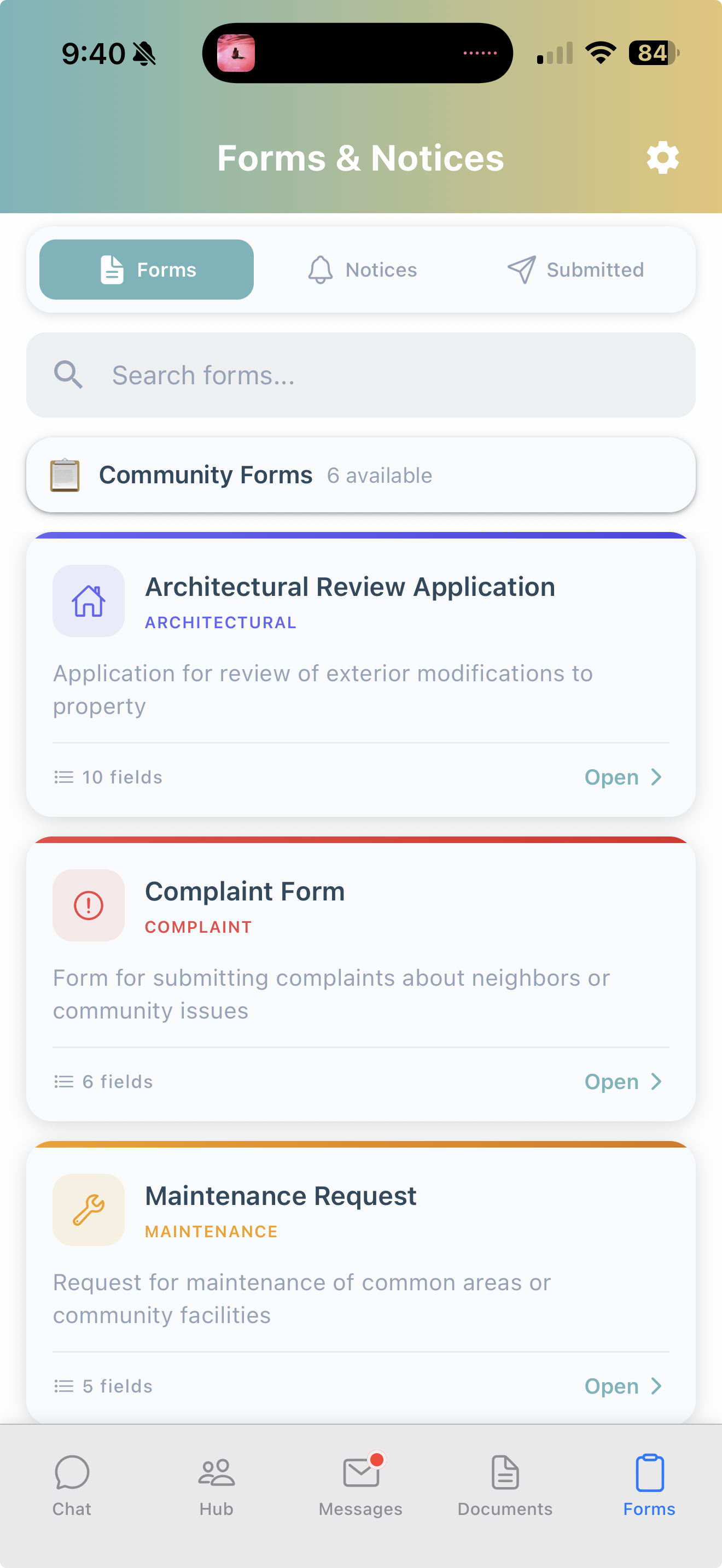
Submit Forms from iOS and Android
We've built an all-new forms experience in the HeyNeighbor mobile app — and we think you're going to love it.
Submit Forms & View Notices From Anywhere 🌎
Now if you need to submit a form, you can do it from the jobsite, the treadmill, or the couch. Our mobile forms feature allows you to submit forms just like you are able to on our desktop web app. You can also review your submissions in-app, make comments, and add new attachments. Notices also get their own new tab, where you can stay up to date with the latest official communique from management.
Requests That Feel Like Texting 💬
Following up on a maintenance request or architectural application? The new comments section works just like your favorite messaging app.
No more confusing email threads or wondering what the status is — it's as simple as texting with your HOA.
Send Photos and Files Anytime 📎
Need to share a follow-up photo or doc after submitting a request? Now you can attach files directly to your comments inside your form submission. Tap the paperclip, pick your file, and send. Perfect for providing updates or additional documentation as your request moves forward.
View Documents Without Leaving the App 📄
Tap any attachment and it opens in a full-screen viewer right inside HeyNeighbor. No more getting bounced to another app just to view a PDF or photo — everything stays in one place.
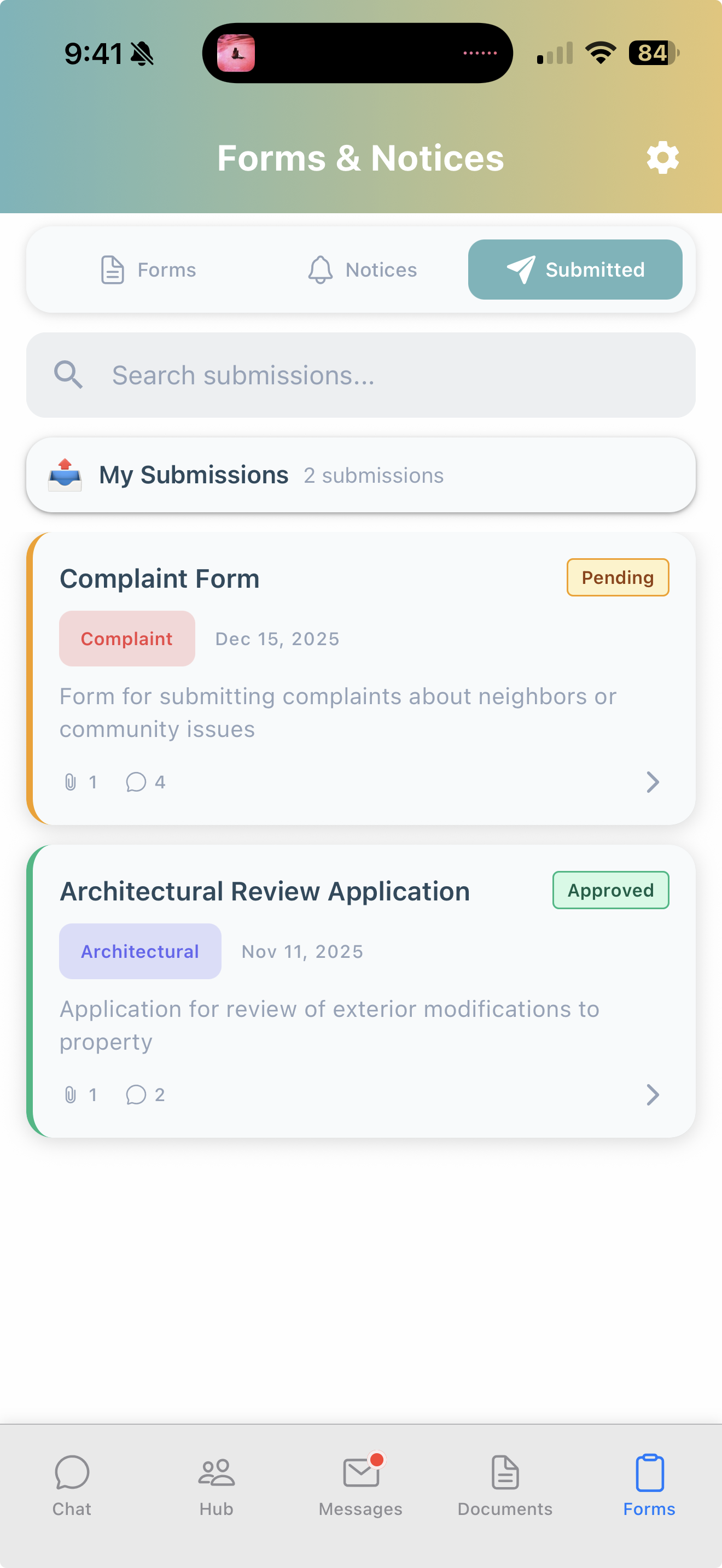
These updates are available now — just make sure your app is up to date. We hope the new forms and notices experience makes communicating with your community easier than ever!


Share this update
See All Updates
Explore our complete changelog to stay up-to-date with all the latest features and improvements.
View All Updates